Last updated: October 2026 | By Kashif Mehmood, Founder, Gemdeveloper Digital Solutions
Geo-targeted landing pages appear in response to a search for a business in a particular location. The page can be /seo-services-lahore/ or /sevices-dha/. But what people forget is the content of these pages have to be relevant to that region and not duplicated.
TL;DR — Geo Page Checklist
| Element | What to do | Example |
|---|---|---|
| Url | /service-city/ type of structure | /seo-services-lahore/ |
| Title tag | Clearly explain your service and the region | SEO Service in Lahore – Gemdeveloper |
| H1 | Tell people clearly what service you provide in what region | SEO Services in Lahore |
| Content | Deliver genuinely useful and region-relevant information | Who we serve, the scope of service and where we operate |
| Images | Use genuinely relevant images as appropriate | Genuine images of staff, office, completed projects and locations |
Common Mistakes with Geo Pages
- Cut and paste the same content throughout with a city or region name changed
- Provide minimal genuine information with regards to the service you provide or the region you operate in
- Create content at scale without a genuine purpose, leading to the creation of hundreds of near-identical useless pages
- Create unsupported claims about the location rather than deliver genuinely relevant information about the service and the region
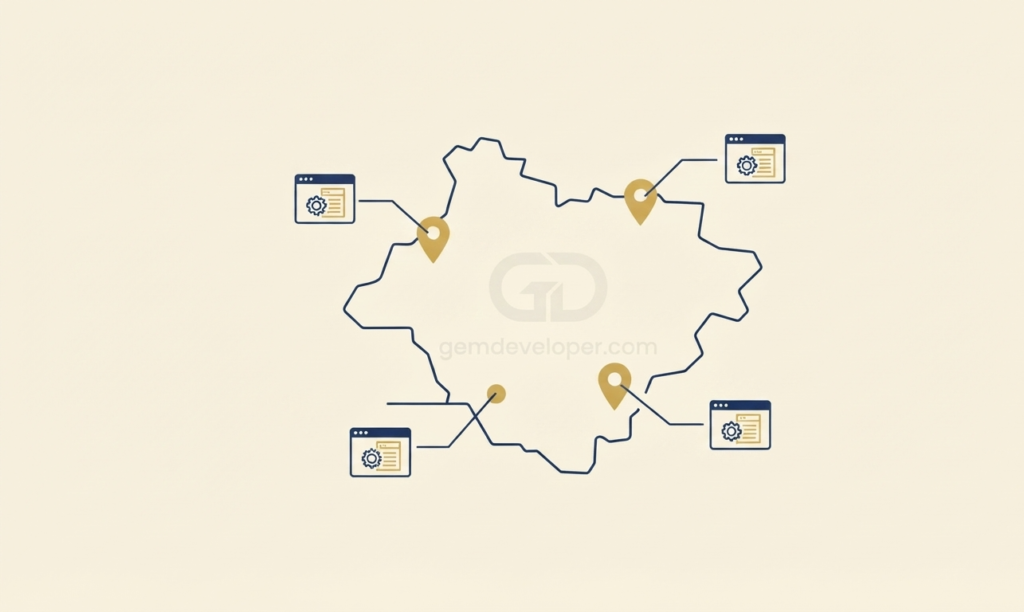
Step 1: Base the Landing Pages Around Location-Specific Content
Title tags. Write the title to make it clear exactly what service you’re providing and where; keep it concise and make sure it accurately reflects the contents of the page. Example: AI SEO services in UAE – Gemdeveloper.
Header tags. The H1 should read clearly as to what service you’re offering and where. For example, SEO services in UAE, rather than simply SEO services. The rest of the headers should be organised around providing useful information, namely the areas you serve, what service you provide, and how you work with clients from the area.
To write content that’s genuinely relevant to the people and businesses searching, speak to the issues they have and provide useful answers and information. In the examples above, we’d look to highlight some relevant local areas if applicable. While this might mean mentioning Al Reem Island or Khalifa City in an Abu Dhabi page, or Downtown, Marina, and Jumeirah in a Dubai page, it’s more a matter of providing genuinely useful information, rather than including names of places simply because they sound local.
Step 2: Optimize the Already Created Content
Local photos. Original images of your team, office or even the local area help to provide additional context. Use relevant images to provide additional context to the page rather than generic photos which apply to pretty much anyone.
Business information. If the page is clearly relevant to a specific location, make sure all information is relevant and consistent, both on the page itself as well as with regard to any other business information, such as Business Profile.
Google Business Profile. Make sure your Google Business Profile is up to date if applicable, as location landing pages and Google Business aren’t the same thing, with the business page providing more about the actual business rather than an in-depth guide.
Step 3: Create Extra Pages for Sub-Regions as Makes Sense
Some businesses serve both entire cities as well as specific sub-regions. Creating separate landing pages for each area doesn’t make sense unless there’s a genuine need for it, rather than simply doing so in the name of generating more geo-specific pages. Build a new landing page for sub-locations only when there’s a genuine purpose and enough uniquely relevant content for that page to exist, rather than simply replicating the city version and changing the location name. Over-creating thin pages strictly to capture traffic can flag your site under Google Search Central’s Doorway Pages Guide.
Dubai > Dubai Marina, Downtown Dubai, Jumeirah, Palm Jumeirah. Abu Dhabi > Al Reem Island, Khalifa City, Yas Island.
Where multiple landing pages genuinely exist, link internally as appropriate to help visitors find the information they’re looking for as well as helping Google understand the relationship between the pages. See our guide to major concepts SEO for more information about linking and website structure.
Step 4: Track Performance with Purpose
Google Analytics: Track the overall traffic and conversions attributed to each individual location page.
Search Console: Monitor the keywords, impressions, clicks and ranking information.
Update with intent, not on a schedule. Make updates when there’s useful information rather than attempting to update just for the sake of it. See what visitors are asking and answer their questions; add genuinely useful information that could benefit people looking for you in a specific location.
A well-built location page earns its keep by delivering relevant, genuine information for the people in that region. Keep your purpose in mind when building pages so that you don’t just end up with more useless entries crowding up your website.
Where Automation Fits
For a business that has more than a handful of location pages, viewing the performance of each of those pages, looking for keywords and reviewing submitted forms isn’t sustainable. We’re currently building out an editorial process to allow this type of location-page tracking to happen, highlighting the pages worth further investment rather than having someone look at every single one of dozens or hundreds of location pages. We’ve got something in development right now, but it’s not live as of this writing.
FAQ